How to get a like button for your blog. :D (Wednesday, June 8, 2011 / 10:58 PM)
See this?
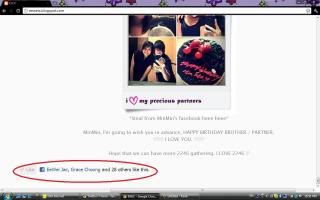
I've finally found out the way of putting a 'LIKE BUTTON' on my blog.
And since a lot of people been asking how, I shall share the ways here.
PS, click on the photos to enlarge and get a better view. :)
#1. Go to your account setting.
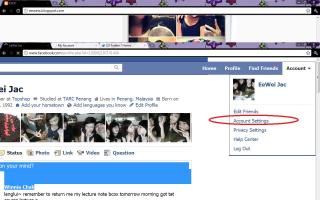
#2. Click on "MOBILE" and then under the sub-element - MOBILE PHONES, click ADD PHONE NUMBER.

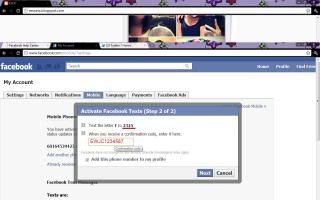
#3. Choose your country - MALAYSIA, and then your mobile carrier - DIGI / MAXIS / CELCOM etc. Click add your phone number here. The number you key in shall starts with 161234567 instead of 0161234567. Why? It's because the mobile code under MALAYSIA is already +60. In case you key in 0161234567, your phone number will be wrongly read as 600161234567 which the confirmation code would never be able to get through. Click NEXT after you've filled in the blank.

#4. Follow the instruction, send F to 2325, and wait for the confirmation code from 2325. Key in the code, press NEXT. For those who dont want their phone number to expose on their facebook page can just simple cancel the selection of "ADD THIS PHONE NUMBER TO MY PROFILE".
#5. Next, go to account and click on HELP CENTER. You'll be directed to a page like below. Type "PROFILE BADGE" and click SEARCH.
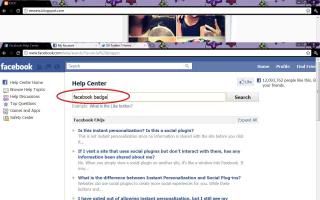
#6. Under the FACEBOOK FAQS section, click "HOW DO I CREATE A BADGE?" and the question will then expand and shows instruction, click "HERE" to get directed.

#7. You'll be lead to a page named FACEBOOK BADGES. Below the 4 options there's a link written as "GET OUR SOCIAL PLUGIN (LIKE BUTTON, ACTIVITY FEED) HERE", click on it.

#8. Click on "LIKE BUTTON".

#9. Fill in your blog url under the URL TO LIKE. Select your own style of like button and font, click GET CODE.

#10. Go to your BLOGGER TEMPLATE.
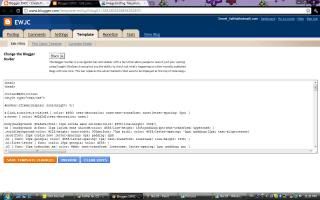
#11. Paste the code given in it. Right behind where you saw code like these : <$BlogItemBody$>

#12. Click on SAVE TEMPLATE.
Now you can have the LIKE BUTTON on your blog, just like me! :D